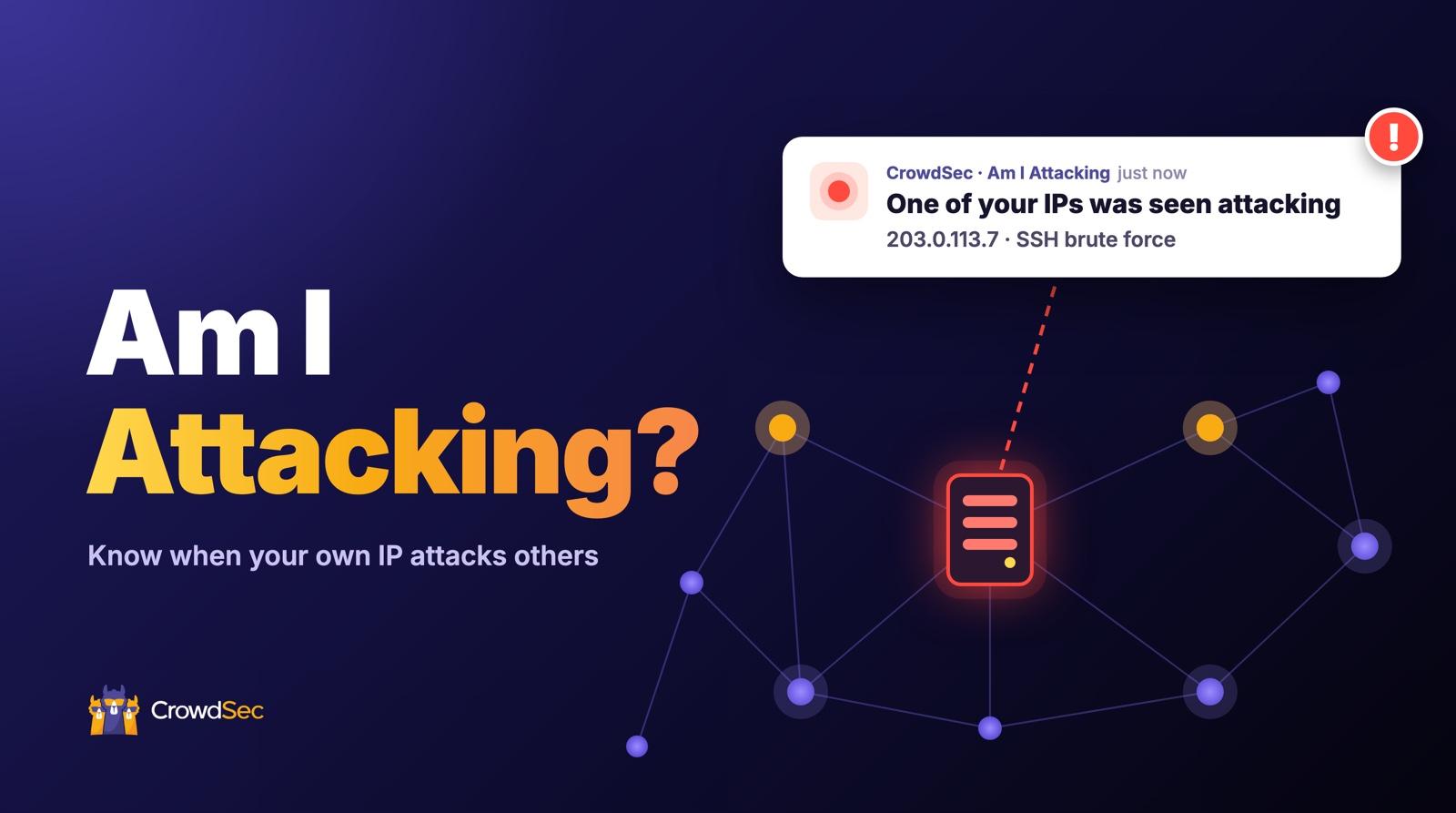
Most security tools are built to tell you who is attacking you. Am I Attacking, a new feature in the CrowdSec Console, tells you something a lot less fun to hear: when one of your own IP addresses is the one doing the attacking. That’s often the first sign of a compromised server, a hijacked workstation, or a scanner that got out of hand.
When people ask us why their IP ended up on a CrowdSec blocklist, the answer is very often a compromised machine they didn’t even know about. We built Am I Attacking so you hear about it from us first, before an abuse report or an unhappy customer does the job.
How does Am I Attacking work?
The CrowdSec network is made up of more than 300,000 active Security Engines running on real production servers. Every time one blocks an attack, it reports where it came from.
With Am I Attacking, you tell us which IP addresses and ranges you operate. When the network reports an attack from one of them, it records an event for your organization in the Console, and you get an alert via email, Slack, Discord, or webhook.
In other words, every engine in the network keeps an eye on your addresses, on top of your own logs.
Who is it for?
Anyone with servers on the internet can use it, and it’s especially useful if you look after IP addresses for other people:
- MSPs and MSSPs managing their customers’ infrastructure
- Hosting, PaaS, and SaaS providers with large IP ranges
- Teams with machines that don’t run CrowdSec: the network sees their attacks anyway, because the targets report them
How to set up Am I Attacking
It takes about 40 seconds, as you can see in the video above. Here are the steps:
- Open Am I Attacking in the IP Reputation / CTI section of the Console, or go straight to app.crowdsec.net/am-i-attacking.
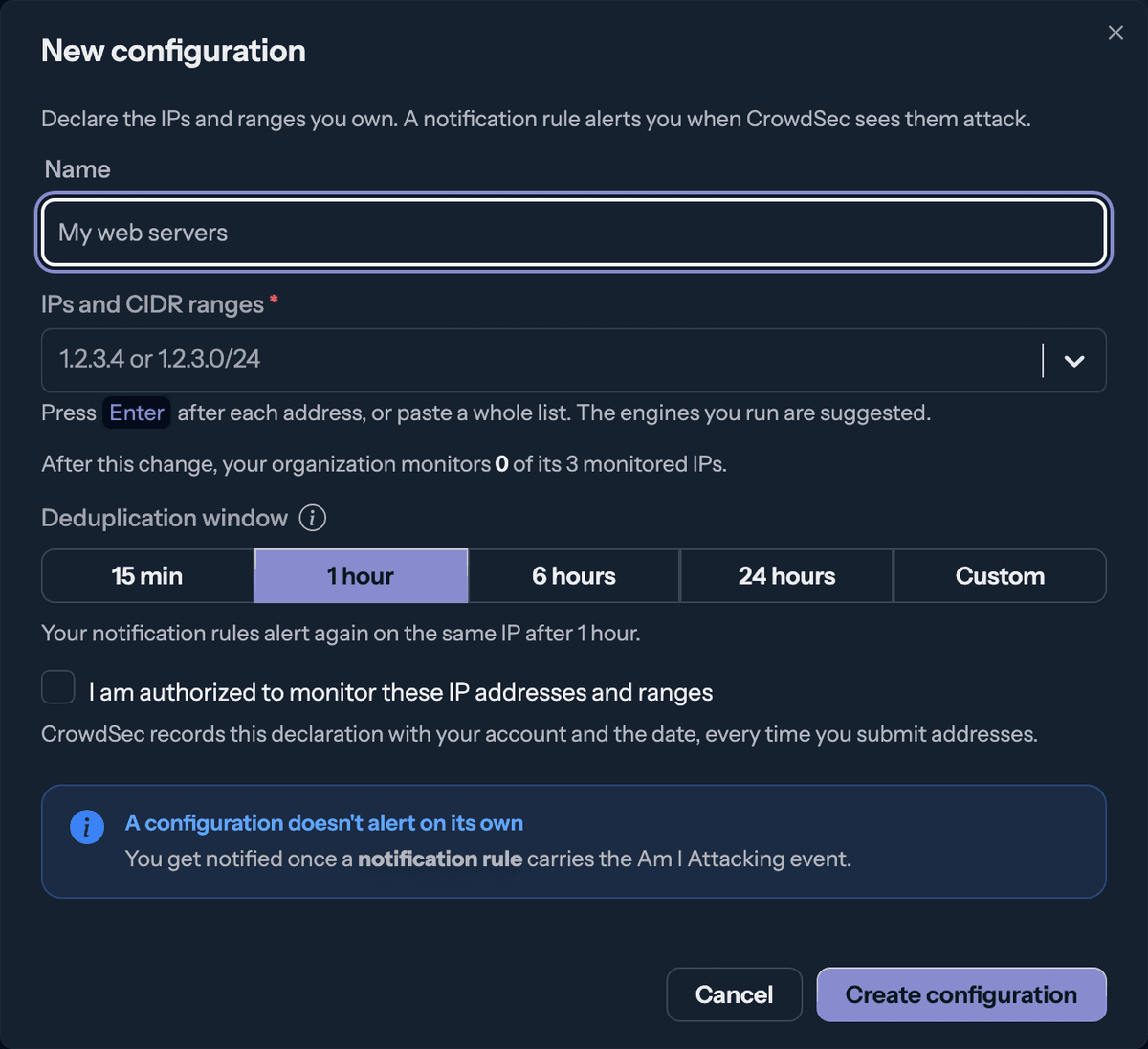
- Click Configurations, then Add a configuration. Give it a name and add the IP addresses or CIDR ranges you want to watch. You can paste a whole list, and the Console suggests the IPs of your Security Engines.
- Tick the box to confirm you’re authorized to monitor these addresses, and save.
- Let the Console create your notification rule. It sets one up for you automatically, and by default the alerts go to your email address.
That’s it, you’ll hear about it as soon as one of your IPs is seen attacking. Want alerts somewhere else too? Edit the rule to add Slack, Discord, or a webhook.
Tip: already running a Security Engine? Open its page in the Console and click Monitor with Am I Attacking. It adds the engine’s IP and creates the alert rule in one go.
What you see when an alert comes in
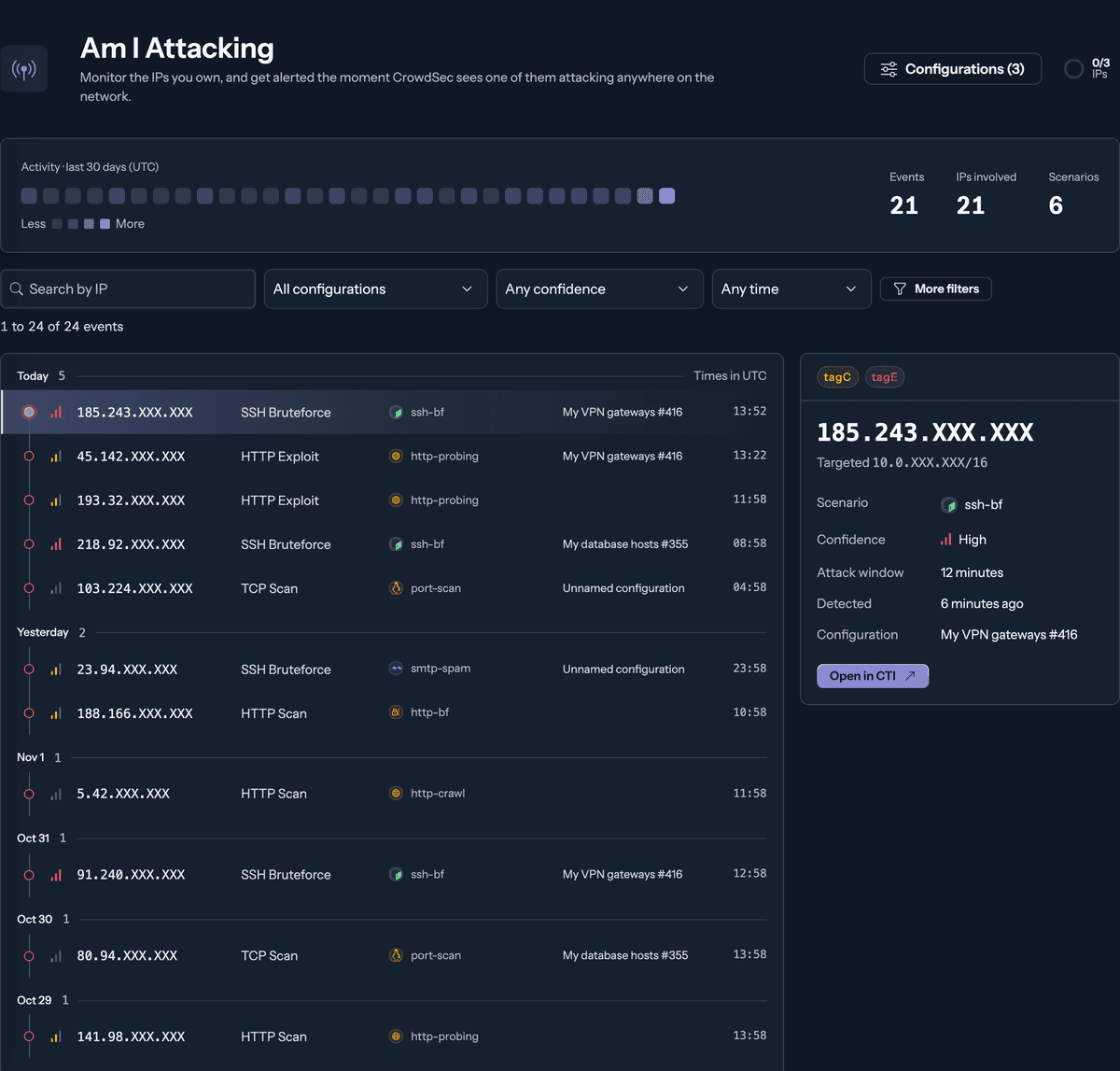
The Am I Attacking page keeps the history of every event for your organization:
- A 30-day activity view, with the number of events, the IPs involved, and the scenarios detected
- The details of each event: the source IP, what it was doing (behaviors and scenario), the targeted range, and when it happened
- A confidence level (low, medium, or high) that shows how reliably that scenario tells a real attack apart from normal traffic
- An Open in CTI button to see the IP’s full IP report
So your inbox doesn’t fill up, a deduplication window keeps repeat detections on the same IP quiet for a while. It’s one hour by default, and you can change it.
Good to know
- Am I Attacking is a Premium feature, with a 30-day free trial. Premium includes 3 monitored IPs, and you can add more.
- Private and reserved ranges can’t be monitored, and very large ranges (a /16 or wider) go through our sales team.
- Each time you add addresses, you confirm you’re authorized to monitor them, and we keep a record of it.
All the details are in the Am I Attacking documentation.
FAQ
Does the IP I monitor need to run CrowdSec?
No. Am I Attacking relies on the attacks that the rest of the CrowdSec network reports. A machine without CrowdSec is still seen when it attacks someone who runs it.
What’s the difference between Am I Attacking and Am I Under Attack?
Am I Under Attack watches your own alerts for unusual surges and targeted attacks against you. Am I Attacking watches the rest of the network for attacks coming from your IPs.
What should I do when I get an alert?
Treat it as a possible compromise. Check the machine behind that IP, read the behavior and scenario in the event details, and open the IP in the CTI to see what else it’s been up to.
My IP is on a CrowdSec blocklist. Is that related?
It can be. If one of your machines attacked others, it may have been reported and blocked. Once the problem is fixed, you can check your IP and request removal on our Remove an IP page.
Give it a try
Am I Attacking is waiting for you in the CrowdSec Console. It takes 40 seconds to set up, and we hope you never get an alert!